Contents · 39 sections
- What Is the USCIS Online Account Number?
- Why Does USCIS Ask for Your Online Account Number on Paper Forms?
- Who Has an Online Account Number?
- Where Can You Find Your USCIS Online Account Number?
- How to Find Your USCIS Online Account Number, Step by Step
- What If You Don't Have an Online Account Number?
- Online Account Number vs Other USCIS Numbers
- Where Does Each USCIS Number Appear? A Labeled Map
- Is the Online Account Number the Same as the A-Number?
- Which Forms Ask for the USCIS Online Account Number?
- What Is a USCIS Online Account?
- How Do You Create a USCIS Online Account?
- Two-Step Verification on Your USCIS Account
- What If You Lost Your Two-Step Verification Method?
- How Do You Log In to Your USCIS Account?
- Which Immigration Login Do You Need?
- Linking a Paper-Filed Case (Online Access Code)
- Why Can't You Link Your Paper-Filed Case?
- Checking Case Status Inside Your Account
- Does Your USCIS Account Show myProgress Estimates?
- Can You File a Citizenship Application Online?
- Green Card Sign-In: Filing I-485 and I-90 Online
- Login Problems and Duplicate Accounts
- I Have 2 USCIS Accounts: What Should I Do?
- Can You Have More Than One USCIS Account?
- Why Is Your Case Not Showing in Your Account?
- Managing Notices and Documents in Your Account
- How Does the Account Help With Biometrics Appointments?
- Changing Your Address Through Your Account
- Messaging USCIS From Your Account
- Accounts for Attorneys and Representatives
- Accounts for Children and Family Members
- Is Your USCIS Online Account Safe?
- How Do You Delete or Close a USCIS Account?
- What Should You Check Before Filing a Paper Form?
- Common Mistakes With the Account Number
- If X, Do Y: Online Account Troubleshooting
- When Should You Contact USCIS About Your Account?
- Frequently Asked Questions
The short answer
Your USCIS online account number (OAN) appears in your account profile or at the top of a mailed Account Access Notice. As of October 2026, USCIS form instructions say you have one only if you filed a form whose receipt number starts with IOE. If you never got one, leave that form field blank.
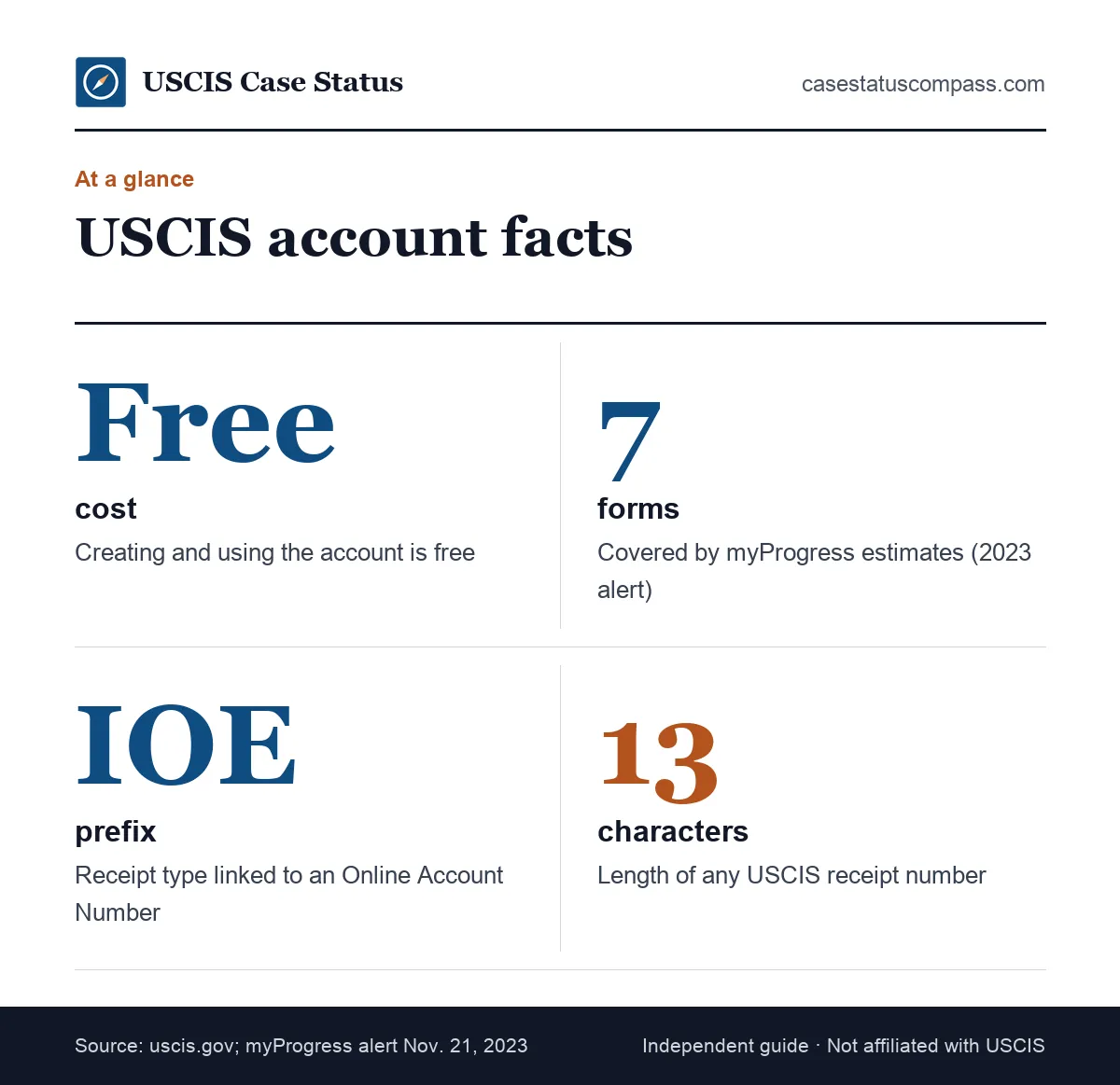
At a glance
| Who has one | Only people with an IOE receipt, per USCIS form instructions |
| Where to look | Account profile, or the top of the Account Access Notice |
| Same as A-Number? | No. They are separate numbers. |
| Sign-up page | myaccount.uscis.gov/create-account |
| Cost | Free |
What Is the USCIS Online Account Number?
The USCIS online account number is an identifier USCIS assigns to an online account once that account is tied to an electronic filing. It lets USCIS connect your future paper filings to the account you already have. It is not a case number and does not track any single application.
The official definition
USCIS explains the number in its form instructions rather than on a standalone page. As of October 2026, the Form N-400 instructions say: USCIS Online Account Number (OAN): only if you have an IOE receipt; shown in your account profile or at the top of the Account Access Notice. The same wording appears in other instructions, such as those for Form I-90.
Why Does USCIS Ask for Your Online Account Number on Paper Forms?
When you write the OAN on a paper form, USCIS can place the new case in your existing account. Without it, the system may treat you as a new account holder. That small field, labeled "if any" on many current forms, is the main way to avoid scattered cases and a second account later.
Who Has an Online Account Number?
You have an Online Account Number only if USCIS has linked an account to an electronic case, which the form instructions describe as a receipt number beginning with IOE. Many applicants who filed only on paper and never linked a case do not have one, and that is normal.
Online filers with IOE receipts
If you filed any form online, your receipt number likely starts with IOE and your account has a number. Our page on the IOE case status explains that prefix. Check your profile; the number should already be there.
Paper filers who received an Account Access Notice
Some paper filers receive an Account Access Notice by mail. It invites you to view the case online and prints your account number at the top. If you never received this notice and never filed online, you most likely have no number.
Where Can You Find Your USCIS Online Account Number?
You can find it in two places: the Profile page of your USCIS online account, or the top of the Account Access Notice USCIS mailed you. Saved notices in the account's documents area may also show it. Receipt notices and green cards do not.
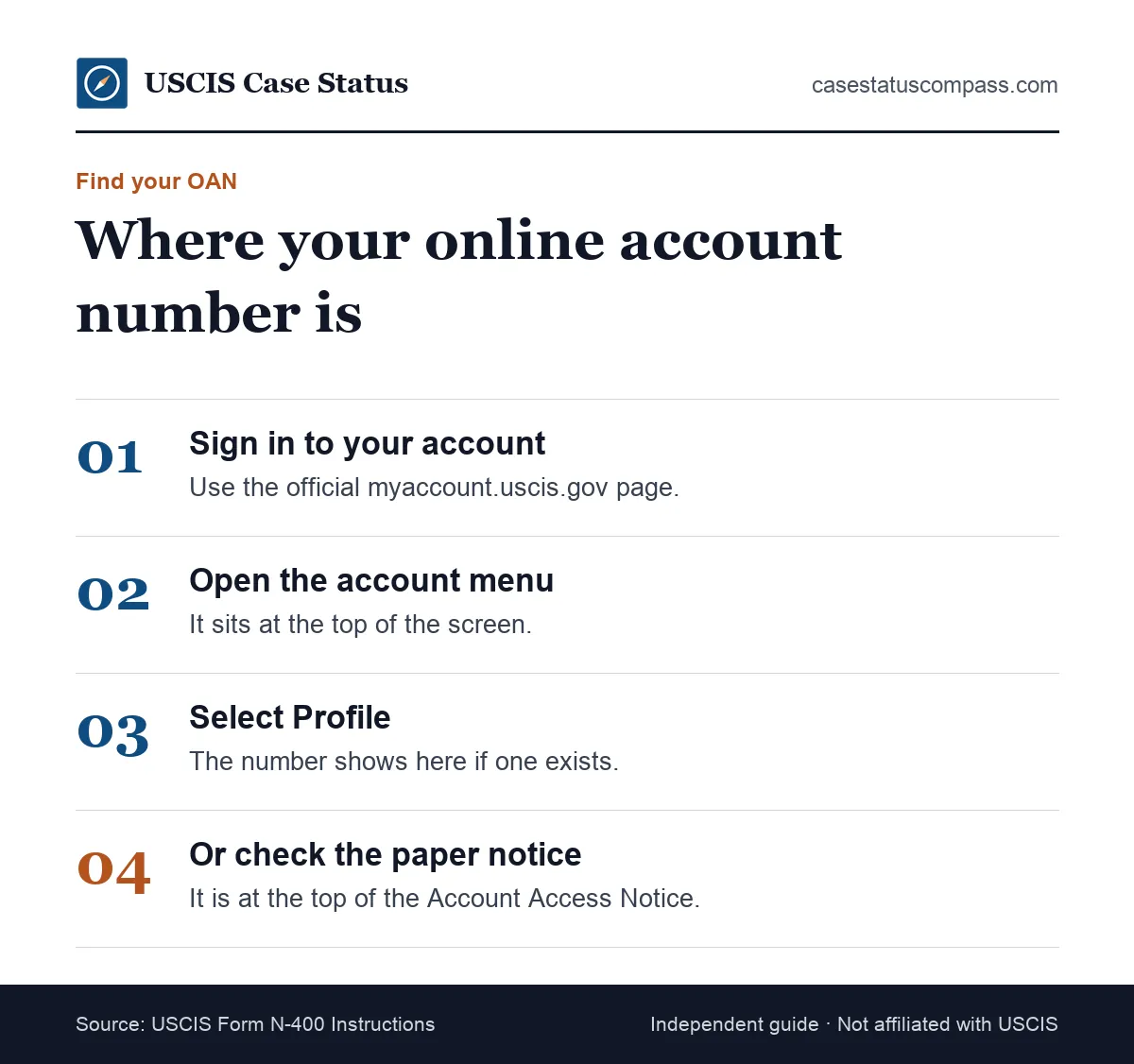
In your account profile
Sign in, open the account menu at the top of the page, and choose Profile. If USCIS has assigned a number, it is listed there. If the Profile page shows no number, USCIS likely never issued one.
On the Account Access Notice
The Account Access Notice is a paper letter that some mail filers receive. The Online Account Number is printed at the top. The same letter carries a separate online access code used to link the case, so read the labels carefully.
In your saved documents
Your account stores digital copies of most notices. If you lost the paper Account Access Notice, open the documents section and look for it there. Download a copy and keep it with your other immigration papers.
How to Find Your USCIS Online Account Number, Step by Step
To find the number, sign in at the official account page, open the menu, select Profile and read the number. If you filed by mail, check the top of your Account Access Notice instead.
Both routes take only a few minutes. If neither the Profile page nor the notice shows a number, stop there: you most likely have none, and the form field stays blank.
Steps for online filers
- Go to myaccount.uscis.gov and sign in.
- Complete the two-step verification prompt.
- Open the account menu in the top corner.
- Select Profile.
- Copy the number exactly as shown.
If the Profile page lists no number, check whether any of your cases actually carries an IOE receipt. A brand-new account with no linked filing usually shows nothing yet.
Steps for mail filers
- Find the letter titled Account Access Notice.
- Read the number at the top, next to its label.
- Do not confuse it with the access code lower down.
- If the letter is lost, sign in and check saved documents.
What If You Don't Have an Online Account Number?
If you have no number, leave the field blank. Forms ask for the Online Account Number "if any," and USCIS form instructions describe it as a number only certain filers have. Do not invent one or put another number in its place. A blank field is expected for many applicants.
Leaving the form field blank
Most applicants filing their first paper form have no number. A blank field does not count against you. USCIS can still receive, process and decide your case, and may later send an Account Access Notice.
Never substitute another number
Do not write your A-Number, receipt number, Social Security number or green card number in the OAN field. A wrong number in that box can link records incorrectly or cause confusion later. Each number belongs in its own labeled field.
Online Account Number vs Other USCIS Numbers
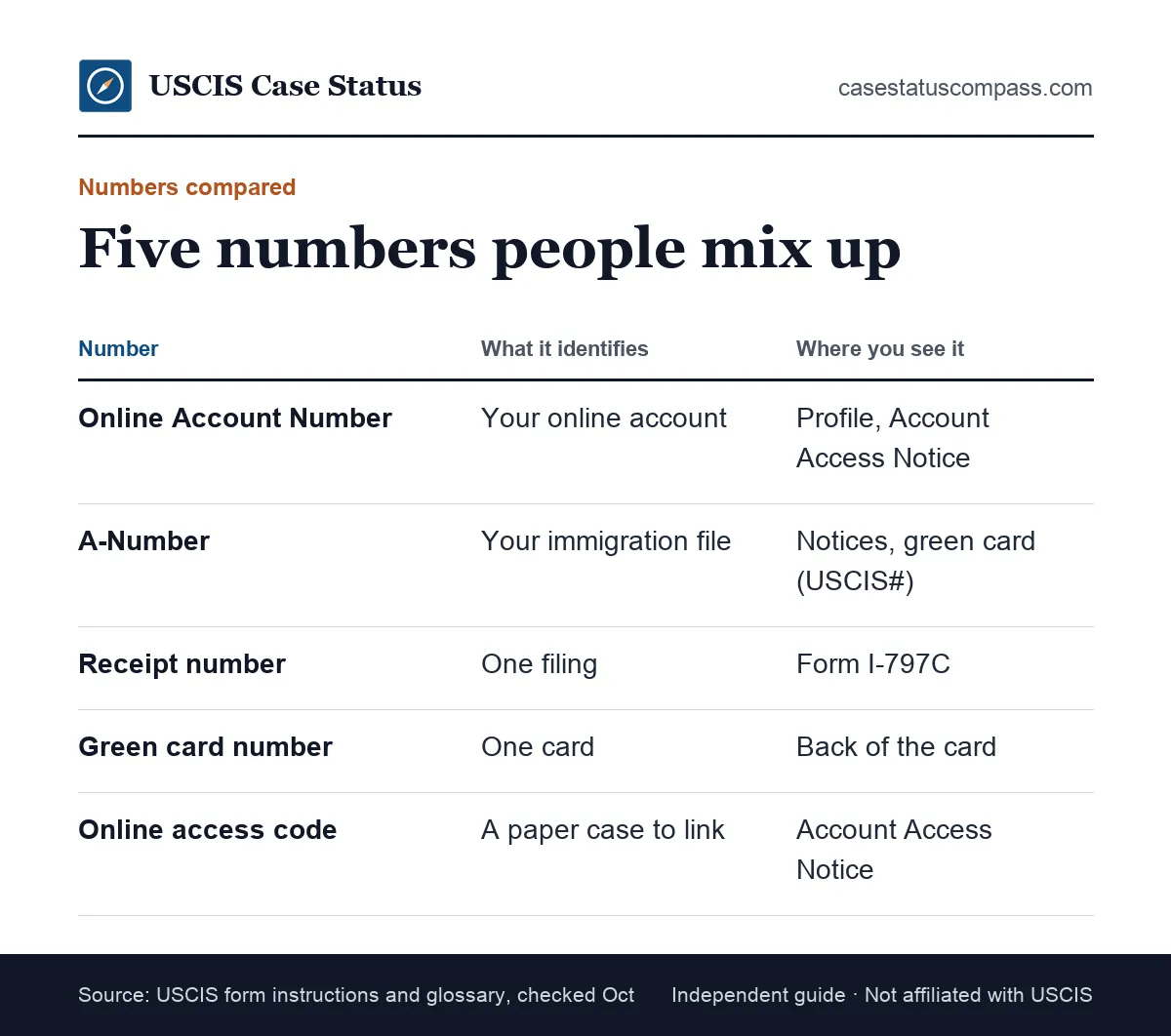
The Online Account Number identifies your online account. The A-Number identifies your immigration file, the receipt number identifies one filing, the green card number identifies one card, and the online access code links a paper case. The table and chart compare them side by side.
Five USCIS numbers in one table
This table lines up the five numbers people mix up most often, what each one identifies and where it prints.
| Number | Identifies | Where you find it | Works in Case Status Online? |
|---|---|---|---|
| Online Account Number | Your online account | Profile; top of Account Access Notice | No |
| A-Number | Your whole immigration file | Notices; "USCIS#" on newer green cards | No |
| Receipt number | One application or petition | Form I-797C notices | Yes |
| Green card number | One physical card | Back of the card | No |
| Online access code | One paper case, for linking | Account Access Notice | No |
Online Account Number vs receipt number
A receipt number has the format 3 letters + 10 digits (13 characters), e.g. EAC2512345678; leave out dashes. It is what you enter in the public status tool. The Online Account Number does not work there. Our guide to what an I-797C is shows where the receipt number prints.
Online Account Number vs online access code
Both can appear on the Account Access Notice, which is why people mix them up. The access code is a one-time key for adding a paper case to your account. The account number is a lasting identifier for the account itself.
Online Account Number vs green card number
The green card number is the card's own serial number, printed on the back. It changes when you get a new card. Our green card number guide shows exactly where to look and how it differs from the USCIS# on the front.
Where Does Each USCIS Number Appear? A Labeled Map
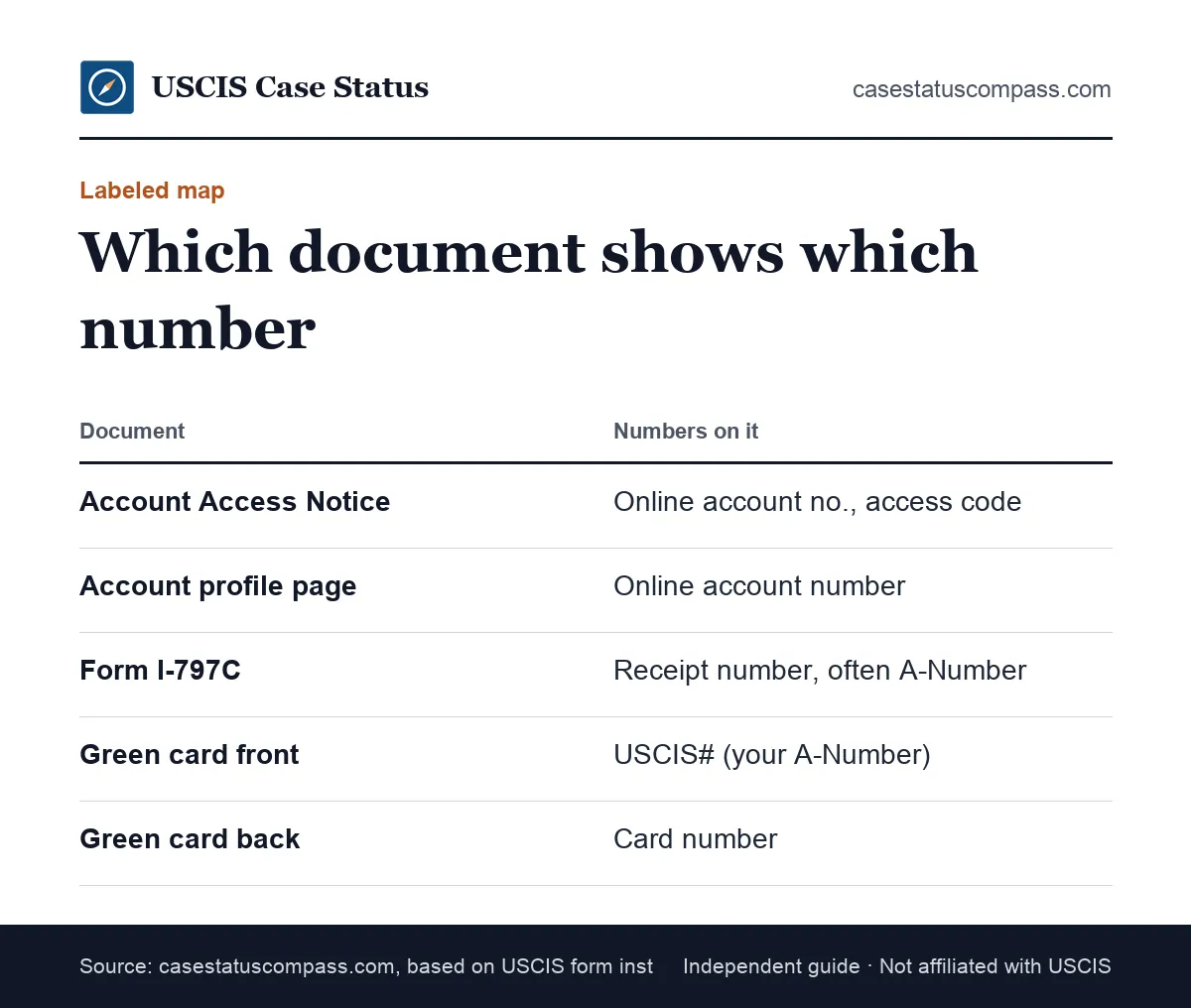
Each USCIS number lives on a specific document. The Account Access Notice and your account profile show the Online Account Number. The I-797C shows the receipt number. The green card shows your A-Number on the front and the card number on the back.
On your I-797C notices
Every Form I-797C shows a receipt number near the top and often your A-Number. It does not show the Online Account Number. If a form asks for the OAN, an I-797C will not help.
On your green card
Your A-Number is the 'USCIS#' printed on the front of green cards issued after May 10, 2010. The card number on the back is different. Neither is the Online Account Number, so do not copy either into the OAN field on a form.
Is the Online Account Number the Same as the A-Number?
No. The A-Number (Alien Registration Number) is a file number that follows you through your whole immigration history. The Online Account Number identifies only your online account. USCIS form instructions say plainly that the two are different. Many forms ask for both in separate fields.
Why people confuse them
Both are long strings of digits, both appear on USCIS papers, and both sit near each other on forms. The A-Number usually starts with an "A" on notices. Our alien number guide explains how to find yours.
Which one a form wants
Read the field label. "A-Number" or "Alien Registration Number" wants your file number. "USCIS Online Account Number (if any)" wants the account number. If you have only one of them, fill in that field and leave the other blank.
Which Forms Ask for the USCIS Online Account Number?
Many current USCIS forms include a field for the Online Account Number near the top of Part 1. Common examples are Form N-400, Form I-90, Form I-485, Form I-765 and Form I-130. Each form's instructions repeat the same rule: enter it only if you have one.
Naturalization and green card renewal forms
The Form N-400 and Form I-90 instructions both explain the number in detail. These are among the forms most often filed online, so many filers already have an account number by the time they file again.
Green card and work permit forms
The Form I-485 and Form I-765 also include the field. If you file them on paper after earlier online filings, writing the number helps USCIS place the new receipts in your existing account.
What Is a USCIS Online Account?
A USCIS online account is a free, secure account at myaccount.uscis.gov for filing forms, tracking cases and receiving notices. As of October 2026, USCIS lists its benefits as: Free USCIS online account: case status updates, notices, link paper-filed cases. It is separate from the public Case Status Online tool.
What you can do in the account
- File many forms online and pay fees
- See full case history and notices
- Respond to some evidence requests
- Update your address and send secure messages
- View myProgress estimates for some forms
What the account cannot do
The account does not speed up a case or guarantee a result. It shows only cases filed online or linked with an access code. It also cannot show cases with other agencies, such as visa applications at the State Department.
How Do You Create a USCIS Online Account?
You create an account at myaccount.uscis.gov/create-account with an email address, a password and a two-step verification method. It is free. Use your own email and keep it for years, because that email becomes your login for every future filing.
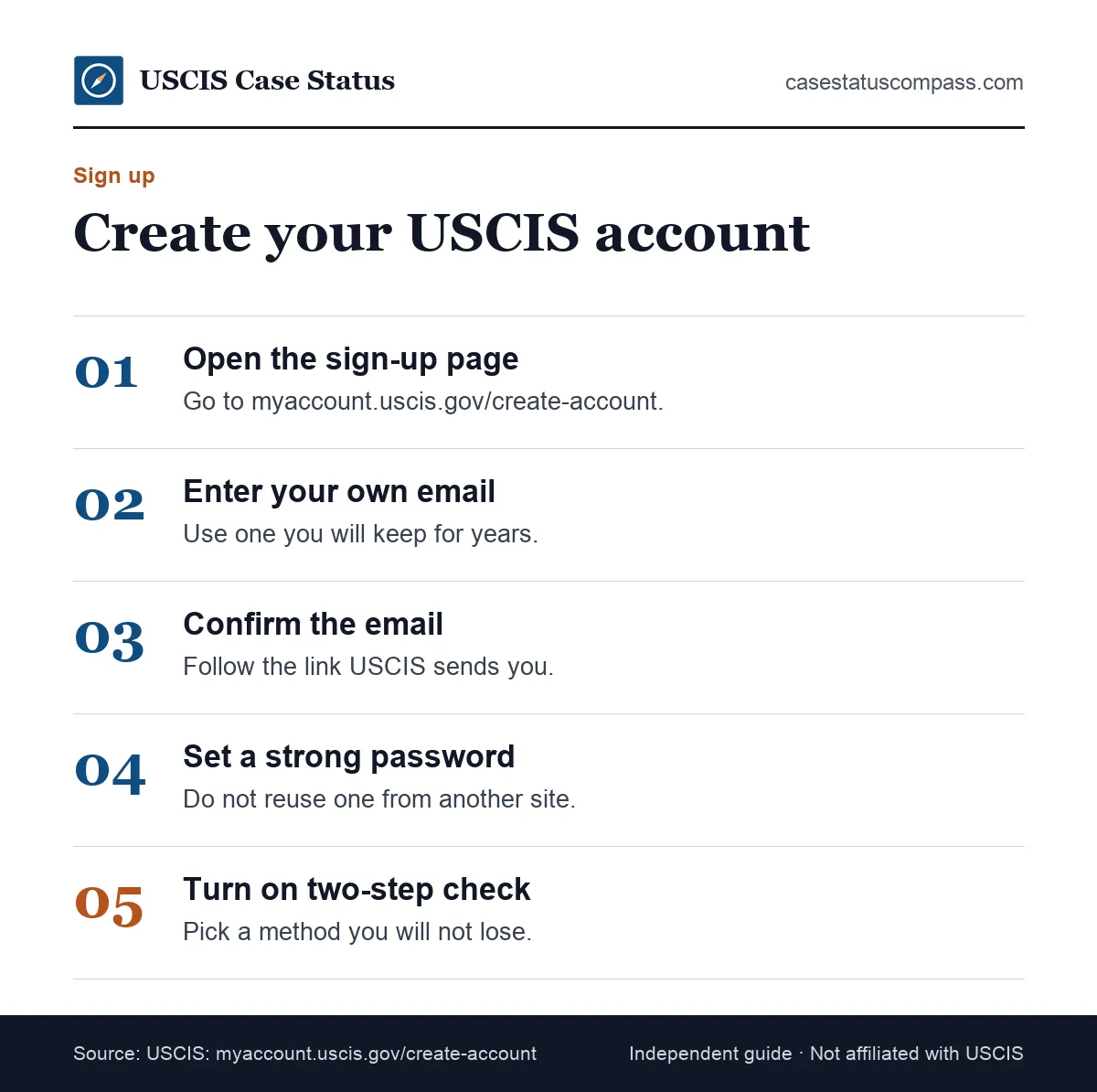
If you already have an account, sign in instead of starting over.
What you need before you start
- An email address only you use
- A phone or authenticator app for two-step codes
- Your receipt number and access code, if linking a paper case
- About 10 minutes without interruptions
Choosing the right account type
The sign-up page asks what kind of account type you need. Applicants, petitioners and requestors choose the individual option. Attorneys and accredited representatives choose the representative option.
Pick carefully, because a representative account cannot hold your own personal filings, and an individual account cannot file for clients. If you are unsure, choose the individual option for your own case.
Two-Step Verification on Your USCIS Account
USCIS requires a second check each time you sign in, using a method you choose at sign-up. The two-step verification code proves the login is you. Losing access to that method is a common reason people get locked out, so choose one you will keep.
Picking a method you will keep
Choose a method tied to a phone number or app you expect to keep through your whole case. If you change phones or numbers, update the method first. Write down any recovery details in a safe place.
What If You Lost Your Two-Step Verification Method?
The USCIS Online Account and Technical Support page links a help article for people who no longer have their two-step method. Follow it before creating a new account. A second account splits your cases and notices, while recovering the original keeps every receipt and your Online Account Number in one place.
How Do You Log In to Your USCIS Account?
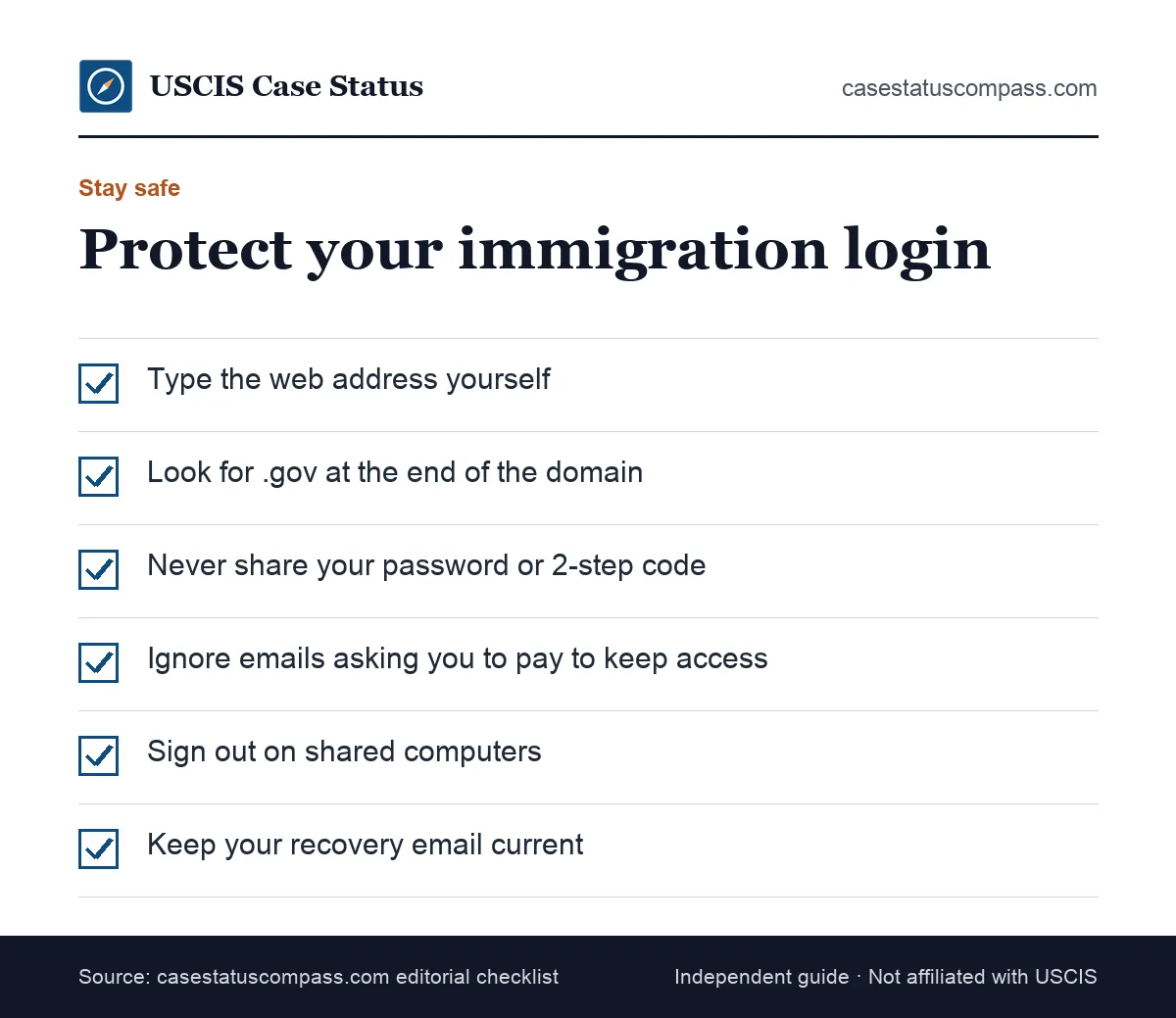
Go to myaccount.uscis.gov, enter your email and password, then the two-step code. That is the official immigration login for USCIS cases. Always type the address yourself or start from uscis.gov, since look-alike sites copy the sign-in page to steal passwords.
The official sign-in page
The official account pages use uscis.gov addresses, such as myaccount.uscis.gov and my.uscis.gov. Bookmark the sign-in page after your first visit. Our USCIS case status guide also explains the public lookup that needs no login.
Avoiding fake immigration sign-in pages
Search ads sometimes lead to paid services that look official. A real immigration sign in page never charges you to log in or see your case. If a site asks for payment before showing your account, leave it.
Which Immigration Login Do You Need?
The right immigration account login depends on the agency handling your case. USCIS cases use the USCIS online account. Visa applications abroad use State Department systems. Immigration court cases use the Justice Department's court portal. Each login is separate and none can see the others.
Matching your case to the right agency login
Find the row that matches where your case sits today. The agency named there runs the only login that can show it.
| Your situation | Agency | Which account or tool |
|---|---|---|
| Green card, work permit, citizenship filed in the U.S. | USCIS | USCIS online account |
| Immigrant visa after petition approval | State Department (NVC) | NVC and consular systems |
| Visa application at a consulate | State Department | Consular visa status tools |
| Case before an immigration judge | Justice Department (EOIR) | EOIR court case portal |
USCIS vs State Department logins
After USCIS approves a family or employment petition for someone abroad, the case moves to the State Department. Your USCIS account will not show the visa steps. See our guides to NVC case status and US visa status.
Immigration court cases
If your case is in immigration court, USCIS cannot update it. The Executive Office for Immigration Review (EOIR) runs its own system. Our immigration court case status page explains how to look it up.
Linking a Paper-Filed Case (Online Access Code)
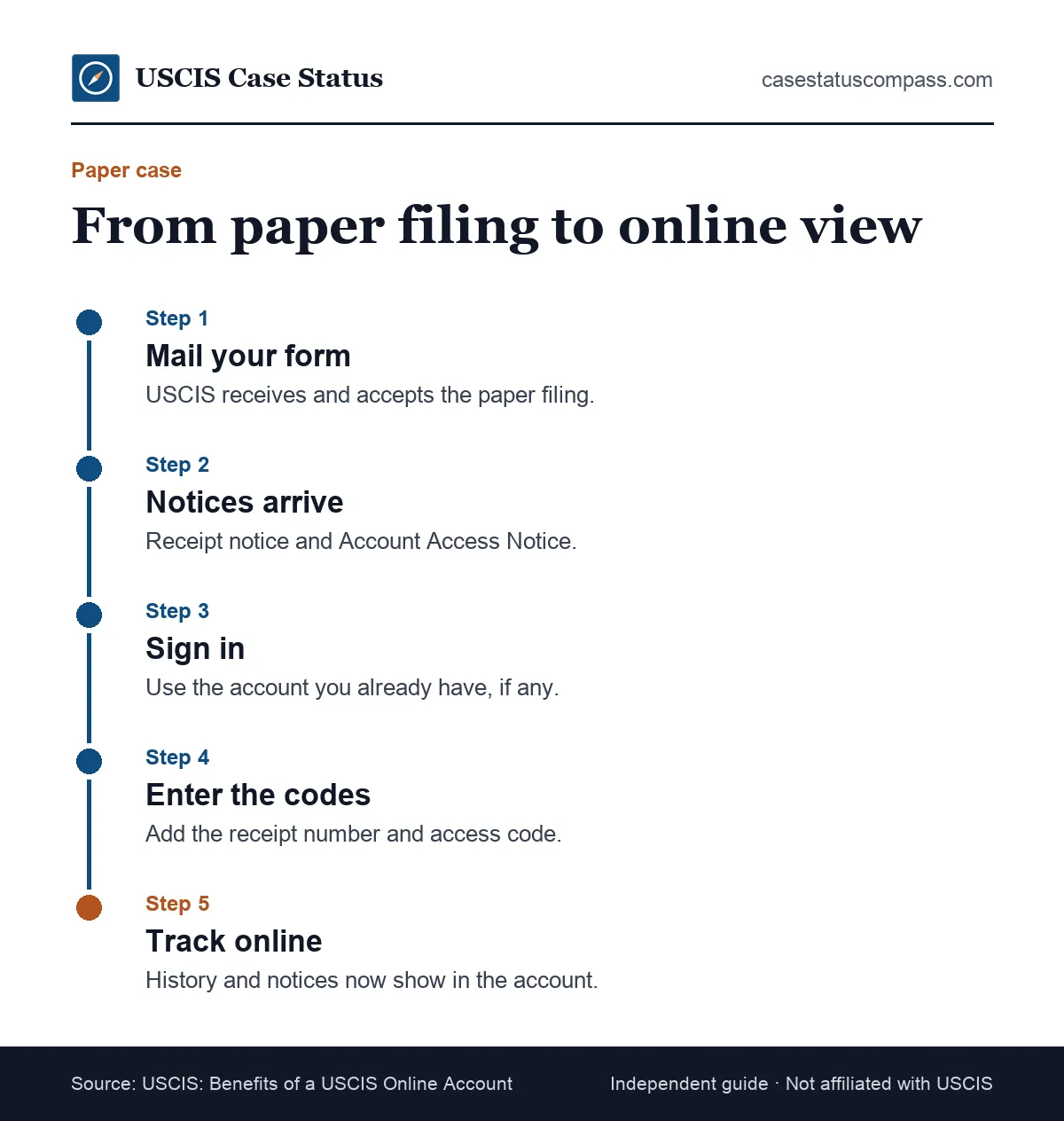
To add a paper case, sign in, choose the option to add a paper-filed case, and enter the receipt number and the online access code from your Account Access Notice. USCIS states that you can link all case files, including mail filings, to one account.
Where to find the access code
The access code prints on the Account Access Notice, separate from the receipt notice. If you have only the receipt notice, you may need to wait for the Account Access Notice or ask USCIS technical help for a new code.
Steps to add the paper case
- Sign in to your existing account.
- Choose the option to add a paper-filed case.
- Enter the receipt number exactly, without dashes.
- Enter the online access code.
- Confirm the case details and save.
Access codes and account numbers together
When you link a paper case, it joins the account you are signed in to. Use the same account for every case. Then write that account's Online Account Number on future paper forms so new cases land in the same place.
Why Can't You Link Your Paper-Filed Case?
Linking usually fails because the access code was already used, the code has expired, the receipt number was typed wrong, or details such as your name or date of birth do not match the filing. Check each item, then ask USCIS technical help for a new code if needed.
Code already used or expired
Each access code is meant for one linking. If you or a representative already used it, the case may sit in another account. Expired codes can be replaced through the help pages listed on uscis.gov.
Details that do not match
Your account profile details should match your filing. Typos in your name or date of birth can block the match. Fix the profile if it is wrong, then try again with the exact receipt number from your notice.
Checking Case Status Inside Your Account
Your account shows full case history, every notice and, for some forms, a myProgress estimate. The public tool shows only the latest status. Both use the same records, so if they disagree for more than a short time, check our guide to a USCIS case status not updating.
Case history vs the public tool
The public tool shows one status message for one receipt number. The account lists every step for every linked case, along with downloadable notices. If you manage several cases, the account saves time.
Does Your USCIS Account Show myProgress Estimates?
As of the latest USCIS alert we could confirm (November 2023): myProgress: personalized estimates in your USCIS online account (I-130, I-485, I-765, I-131, I-821, N-400, I-90). USCIS says estimates are not guaranteed. The public Case Status Online tool does not show them. Use them as a guide and check the official processing times tool for your office.
Can You File a Citizenship Application Online?
Yes. You can file Form N-400 online through your USCIS account, which is why people search for a citizenship application login. Online filing costs less than paper. As of October 2026, the N-400 fee is $760 (paper) / $710 (online); reduced fee $380 (paper only) if household income is at or below 400% of the Federal Poverty Guidelines, per Form G-1055 Form G-1055, Edition 10/16/26.
Filing N-400 online
You fill in the form, upload evidence and pay in the account. The receipt arrives in your documents section. Later notices, such as the biometrics appointment letter, also appear there.
Comparing online and paper costs
Fee details and reduced-fee rules belong on our citizenship fee page. In short, online filing saves money for most forms that offer it. Check Form G-1055 before you pay.
The payment step shows the amount due before you submit, so compare it with G-1055 at that point.
Green Card Sign-In: Filing I-485 and I-90 Online
Your USCIS account is also the green card sign-in for online filings. Form I-90 has long been available online, and as of October 2026 USCIS also accepts Form I-485 online. Both cost less online than on paper, according to the current fee schedule.
Form I-90 online
Renewing or replacing a green card online is one of the most common account uses. As of October 2026, the fee is $465 (paper) / $415 (online). Your receipt, biometrics notice and decision all appear in the account.
Form I-485 online
As of October 2026, the I-485 fee is $1,440 (paper) / $1,390 (online); $950 / $900 if under 14 and filing with a parent. USCIS requires the current edition: 09/18/26 (01/20/25 and 09/04/26 editions rejected on/after Sept. 18, 2026; no grace period). Online filing uses the latest version automatically, which avoids edition rejections.
Login Problems and Duplicate Accounts
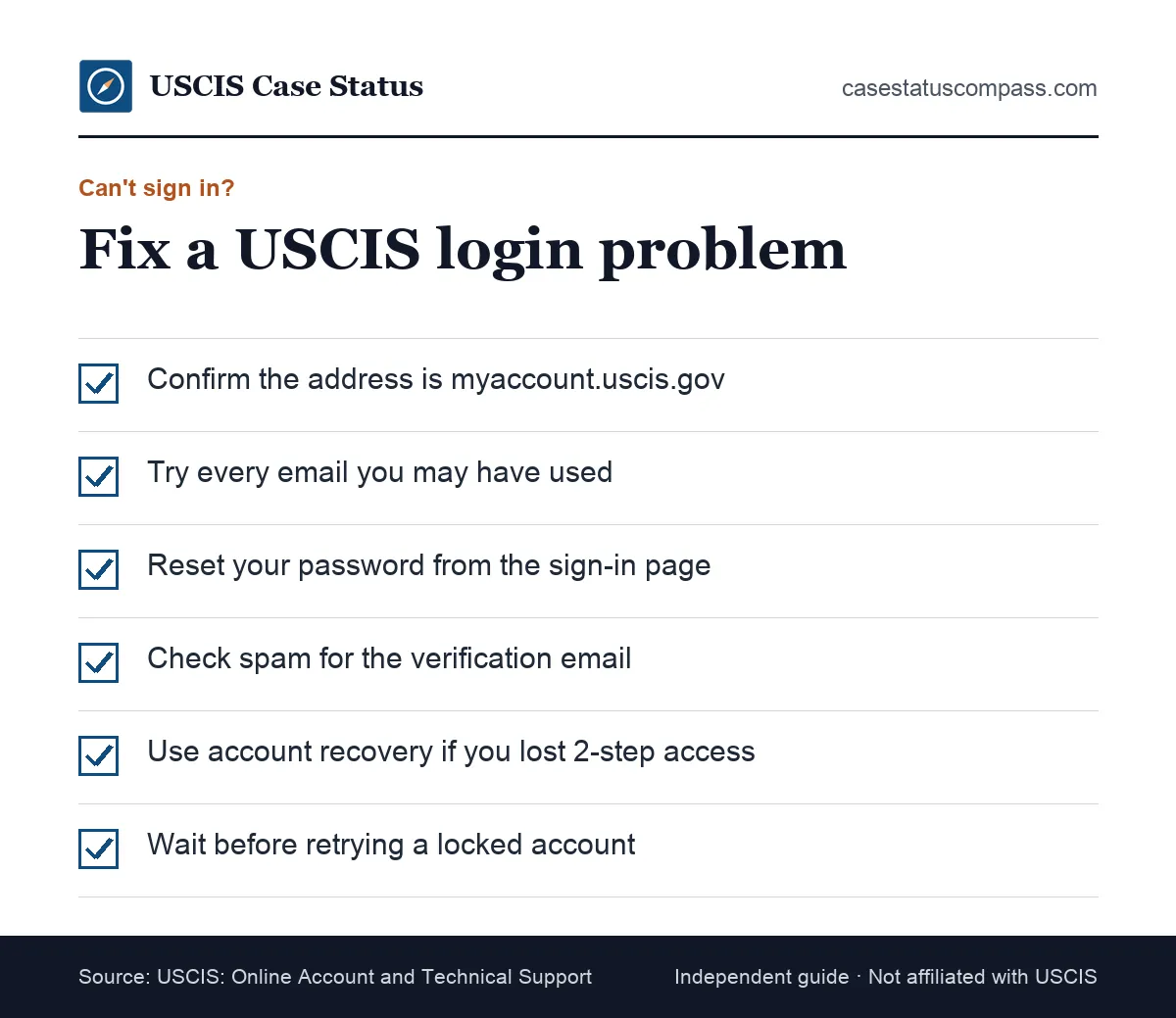
Most login problems come from a forgotten password, a lost two-step method, a locked account or signing in with the wrong email. Duplicate accounts usually start the same way: someone cannot sign in and opens a new account instead of recovering the old one.
Forgotten password
Use the password reset link on the sign-in page. USCIS sends a reset message to the account email. Check spam folders. If you no longer use that email, follow the technical help pages instead of opening a new account.
Locked account
Several wrong attempts can lock the account. The USCIS help center has an article on unlocking. Wait as instructed, then try again with the correct details rather than guessing repeatedly.
I Have 2 USCIS Accounts: What Should I Do?
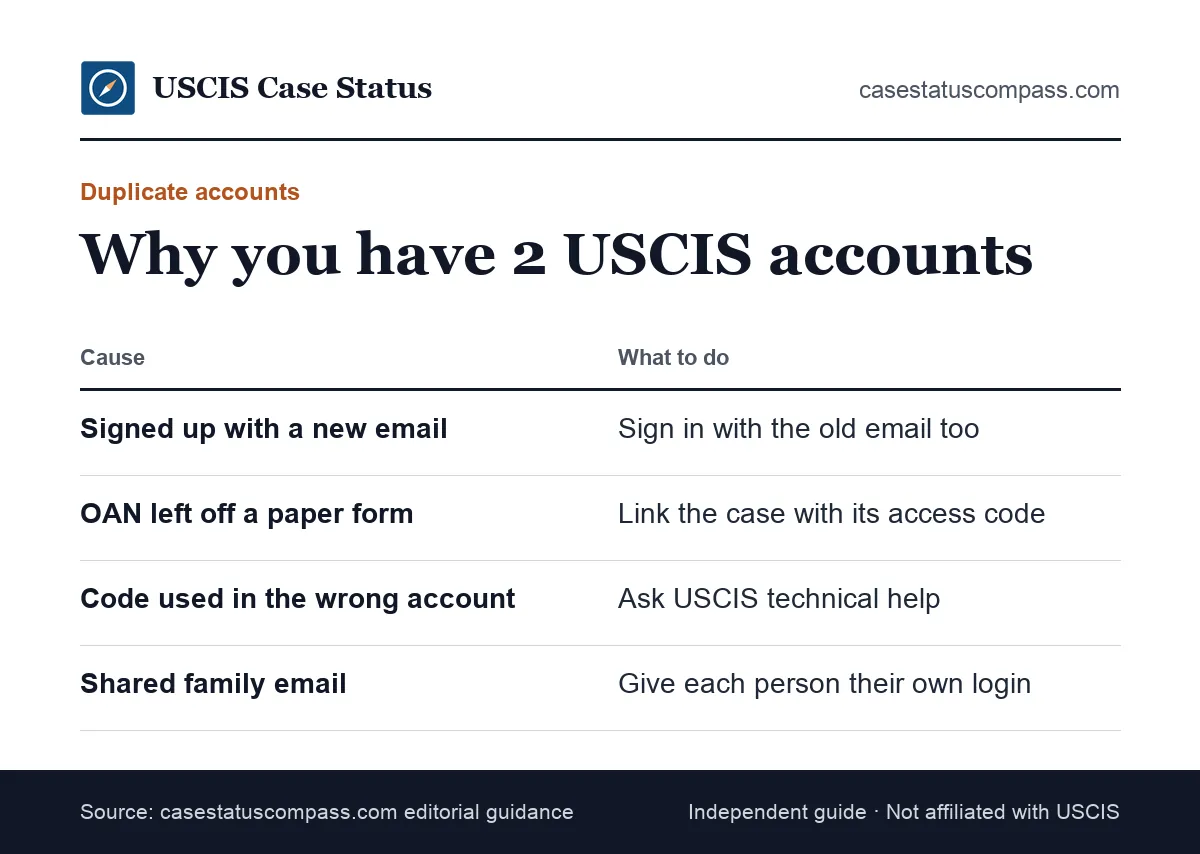
If you have two USCIS accounts, keep using the one that holds your active cases and stop creating new ones. We found no official USCIS page that explains merging accounts, so contact USCIS technical help at my.uscis.gov/account/v1/needhelp. Record which receipt numbers sit in which account.
How duplicate accounts happen
- Signing up again with a new email
- Filing on paper without writing the Online Account Number
- A representative entering details that do not match yours
- Using an access code while signed in to the wrong account
What to do now
Make a list of each account's email, Online Account Number and linked receipt numbers. Choose one main account. Ask technical help about your options and write your main account's number on every future paper form.
Can You Have More Than One USCIS Account?
You should plan on one account per person. A second account splits your cases and notices, and USCIS staff may not be able to see that both are yours. Each family member, including each applicant child, should have their own account and email address.
One person, one account
Keep a single account for your whole immigration history. If you change emails, update the email inside the account rather than signing up again. This keeps every receipt and notice in one place.
Representative accounts are separate
USCIS says attorneys and representatives can create an account to manage your filings but cannot use your account. Their account is not a duplicate of yours. Both can exist without any problem.
Why Is Your Case Not Showing in Your Account?
A case is missing from your account when it was filed on paper and not linked, when it sits in another account, or when it is too new to appear. Online filings show automatically. Paper filings need the access code before they appear.
Paper case not linked yet
Check whether you received an Account Access Notice. If yes, add the case with its code. If no, wait for it or contact technical help. The receipt notice alone does not link the case.
Case sits in another account
If you or a representative linked the case elsewhere, it will not show in your current account. Sign in to any older accounts to check. This is a common sign of a duplicate account.
New filings and status delays
New online filings normally appear quickly, but updates can lag. If the case shows but its status seems stuck, see the status not updating guide linked earlier and check processing times before contacting USCIS.
Managing Notices and Documents in Your Account
Your account stores digital notices for linked cases, including receipts, appointments and decisions. Download each one when it arrives. Online copies are useful if mail is lost, and you can print them for appointments or for an employer.
Digital copies do not replace mailed originals that USCIS asks you to bring.
Downloading notices
Open the case, go to documents and download the PDF. Name each file by form and date. For help reading the notice, see our I-797C notice of action guide linked above.
Uploading evidence
For some cases, you can respond to a request for evidence by uploading documents. Follow the instructions on the request. Our request for evidence guide covers what a strong response includes.
How Does the Account Help With Biometrics Appointments?
Your account lets you manage some appointments for linked cases. USCIS says account holders can reschedule biometrics appointments online, whether they filed on paper or online. The appointment notice itself also appears in your documents, so you can print it if the mailed copy is late.
Rescheduling a biometrics appointment online
Open the linked case, find the appointment and follow the reschedule option. Do it as early as possible and save the confirmation. If the option is missing, use the instructions on the appointment notice or call the Contact Center.
Changing Your Address Through Your Account
You can update your mailing address through your USCIS account for linked cases. USCIS lists address changes as one of the account's features. Update it as soon as you move so notices and cards reach you.
Choosing every pending case in the update matters, since an address saved on one case does not always carry over to another.
How the update works
Sign in, choose the address change option and select the cases it applies to. Save the confirmation. Our change of address guide explains special rules and other ways to update.
Why timing matters
Cards and notices go to the last address USCIS has. A late update can mean a missed interview or a card returned to USCIS. Update first, then tell your attorney or employer.
Messaging USCIS From Your Account
Your account has a secure inbox for questions about linked cases. For technical problems with the account itself, USCIS points users to its technical help page at my.uscis.gov/account/v1/needhelp.
Use the secure inbox for questions about a specific linked case, and the technical help page for problems such as a failed login or a code that will not link. Sending a website problem to the case inbox slows down both answers.
Secure messages about a case
Write clearly and include the receipt number. Keep messages short and factual.
Say what you need in the first line, for example confirming that USCIS received an evidence response. Save a copy of each message and any reply, because the thread is useful proof if you later need to escalate or ask for help.
Technical help requests
Use the technical help page for login, two-step and linking problems. Describe what you tried and any error messages. For general case questions, see our guide on how to contact USCIS.
Accounts for Attorneys and Representatives
Attorneys and accredited representatives use their own representative accounts. They can file and manage cases for clients who signed Form G-28, but they do not get into your personal account. You can still keep your own account to watch your cases.
How representative filing works
When a representative files online, the case appears in their account. Ask how you will receive copies of notices. Some clients also link the case to their own account later.
Accounts for Children and Family Members
Each person filing a form should have their own account, including family members filing together. A parent may manage a young child's filings, but each applicant's cases should sit in an account tied to that applicant. Shared accounts mix up notices.
Family members filing together
A family of four filing green card applications ends up with four sets of receipts. Keep a separate account and email for each adult.
For a minor child, a parent can open and run the child's account, but it should still be a separate account from the parent's. That keeps each person's receipt notices and biometrics letters with the right applicant.
Is Your USCIS Online Account Safe?
The account uses two-step verification, which makes it safer than a password alone. Most risks come from users: phishing emails, fake sign-in pages and sharing passwords. USCIS staff will not ask for your password, and real USCIS pages never charge you to view your account.
Phishing emails and texts
Scam messages may say your account will close unless you pay or confirm your password. Do not click. Open a new browser tab and type the official address instead.
Real USCIS messages never ask for a fee to keep an account open.
Shared and public computers
Sign out every time on shared devices. Do not let the browser save your password. Clear downloaded notices from public computers, because they contain personal data.
If you think someone saw your login, change the password right away from a private device and review your two-step settings.
How Do You Delete or Close a USCIS Account?
The USCIS Online Account and Technical Support page links a help article titled "How Can I Delete My USCIS Online Account?" Follow it if you truly need to close an account. Think first: closing an account with active cases may make tracking them harder.
Before you delete anything
Download every notice and note every receipt number. Make sure no active cases depend on that account. If you are deleting a duplicate, confirm all cases sit in your main account first.
What Should You Check Before Filing a Paper Form?
Before you mail any USCIS form, confirm whether you have an Online Account Number and write it in the right field. That one step keeps the new case in your existing account. Then check that every other number sits in its own labeled box.
A quick pre-filing checklist
- Sign in and copy the number from your Profile page
- Write it only in the "USCIS Online Account Number" field
- Put your A-Number in the A-Number field, if you have one
- Leave the OAN field blank if your profile shows no number
- Keep a copy of the completed form for your records
Common Mistakes With the Account Number
The most common mistakes are writing a receipt number or A-Number in the Online Account Number field, opening a new account instead of recovering an old one, and leaving the number off a paper form when you do have one.
Writing the wrong number in the field
Check every digit against your profile or the Account Access Notice. Never fill the box just because it is there. A blank box is better than a wrong number.
If you notice the error after mailing, keep a copy of the form and ask technical help how to correct it.
Forgetting the number on a paper form
If you have a number, write it on every paper form that asks. Leaving it out is one of the most common reasons people later find a second account.
Check your Profile before each filing so you copy the current number.
If X, Do Y: Online Account Troubleshooting
Use this table to match your situation with the fastest fix. Most account problems can be solved in your own account or through USCIS technical help. Contact an immigration attorney or DOJ-accredited representative only if the problem affects a filing deadline or your legal status.
Quick fixes for common account problems
Find your problem in the left column and try the matching fix before you call anyone.
| If this happens... | Do this |
|---|---|
| Profile shows no Online Account Number | Leave the form field blank |
| You lost the Account Access Notice | Check saved documents in the account |
| Access code does not work | Check the receipt number; ask technical help for a new code |
| You cannot sign in | Reset password, check all emails, follow two-step recovery |
| Case missing from account | Link it with the access code or check older accounts |
| You have two accounts | Pick one main account and contact technical help |
When the problem touches a deadline
If you cannot sign in to answer an evidence request or keep an appointment, do not wait. Contact USCIS through the Contact Center at 800-375-5283 and keep a record of the call.
When Should You Contact USCIS About Your Account?
Contact USCIS technical help when password reset, two-step recovery and access-code linking all fail. Call the Contact Center for case questions, not website glitches. Have your receipt numbers, A-Number and account email ready before you reach out to save time.
Technical help first
The technical help page handles login, verification and linking issues. Give your account email and describe each step you already tried.
Include any error message word for word and the browser you used. Technical help cannot answer questions about a decision or a wait time; those go to the Contact Center or your case inbox.
The USCIS Contact Center
Call 800-375-5283 (TTY: 800-767-1833). Live calls and chat: Monday to Friday, 8 a.m. to 8 p.m. Eastern. Callers abroad use 212-620-3418 (callers outside the U.S.). Agents can help with case details after verifying your identity.
Frequently Asked Questions
What is the USCIS account number?
People often say "USCIS account number" when they mean the USCIS Online Account Number. It identifies your online account and is linked to IOE receipts. It is not the A-Number, receipt number or green card number. If a form asks for it and you have none, leave the field blank.
How do I get a USCIS account number?
You cannot request one directly. USCIS assigns it once an account is tied to an electronic filing. Filing a form online usually produces one. Some paper filers receive one on an Account Access Notice. Creating an account alone may not show a number until a case is linked.
Do I need an online account to check my case status?
No. The public Case Status Online tool at egov.uscis.gov works with just a receipt number. An account adds full history, notices and messaging, so it is worth having if you file more than one form.
Where is my USCIS account number?
If USCIS issued one, it is on the Profile page of your USCIS online account and at the top of any Account Access Notice you received by mail. It does not print on Form I-797C receipt notices or on a green card. An empty profile field usually means no number exists yet.
Does the Online Account Number expire?
We found no USCIS statement that it expires. It stays tied to your account. Keep it with your records and use it on every future paper form that asks for it.
Can I use my online account to check someone else's case?
Only cases linked to your own account appear there. Each applicant should have their own account. Attorneys and representatives use separate representative accounts for clients who signed Form G-28.
Is the USCIS account the same as the USCIS case status website?
No. The case status website is a public lookup by receipt number with no login. The USCIS account requires a login and shows every linked case, notice and message in one place.
Sources
- USCIS: Form N-400 Instructions (Online Account Number guidance). www.uscis.gov/sites/default/files/document/forms/n-400instr.pdf. Accessed Oct 27, 2026.
- USCIS: Benefits of a USCIS Online Account. www.uscis.gov/file-online/benefits-of-a-uscis-online-account. Accessed Oct 27, 2026.
- USCIS: Online Account and Technical Support. www.uscis.gov/tools/uscis-tools-and-resources/online-account-and-technical-support. Accessed Oct 27, 2026.
- USCIS: Create a USCIS Online Account. myaccount.uscis.gov/create-account. Accessed Oct 27, 2026.
- USCIS alert: USCIS Expands myProgress to Form I-485 and Form I-821 (Nov. 21, 2023). www.uscis.gov/newsroom/alerts/uscis-expands-myprogress-to-form-i-485-and-form-i-821. Accessed Oct 27, 2026.
- USCIS Glossary: USCIS Number. www.uscis.gov/glossary-term/50674. Accessed Oct 27, 2026.
- USCIS: Checking Your Case Status Online. www.uscis.gov/tools/checking-your-case-status-online. Accessed Oct 27, 2026.
- USCIS Contact Center. www.uscis.gov/contactcenter. Accessed Oct 27, 2026.
- USCIS Form G-1055 Fee Schedule, Edition 10/16/26. www.uscis.gov/sites/default/files/document/forms/g-1055.pdf. Accessed Oct 27, 2026.
- USCIS Fee Schedule (Form G-1055). www.uscis.gov/g-1055. Accessed Oct 27, 2026.
- USCIS: Form I-485 page (updated 10/07/2026). www.uscis.gov/i-485. Accessed Oct 27, 2026.
casestatuscompass.com is an independent publication and is not affiliated with USCIS or any government agency. This page is general information, not legal advice. For denials, court or asylum matters, consult an immigration attorney or a DOJ-accredited representative.